

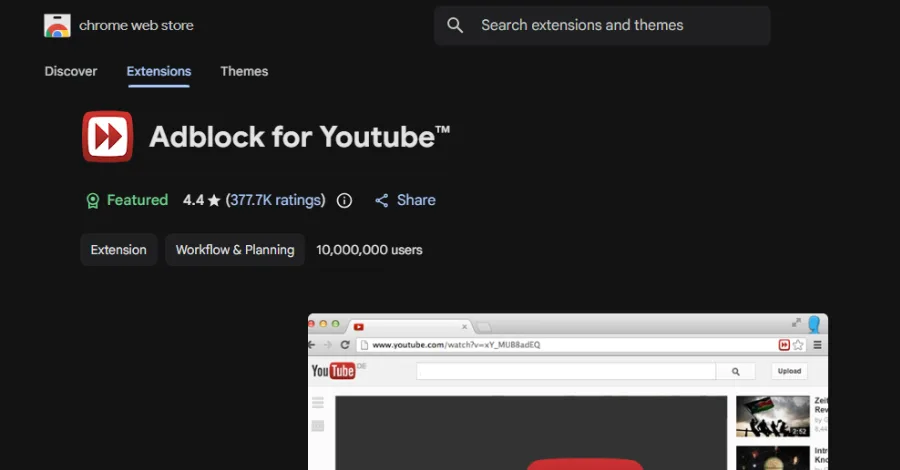
Security researchers identified a popular Chrome ad blocker for YouTube that exceeded 10 million installs and received a Featured badge in the Chrome Web Store. A seemingly trusted tool, recommended by Google's store algorithm, was found to contain dormant functionality enabling remote injection and execution of arbitrary JavaScript in the user's browser context. For B2B organizations where employees use personal devices and install extensions without IT oversight, this incident has direct operational implications.
Why a Featured Badge Does Not Guarantee Security
The Featured badge in the Chrome Web Store suggests high quality and popularity, but it is not an enterprise-grade security audit guarantee. Google's selection mechanism relies primarily on usage metrics, user ratings, and store policy compliance—not deep code analysis for hidden backdoor functions. Attackers and dishonest developers increasingly build extension reputation through long periods of "clean" operation, then activate malicious code after reaching critical install mass.
In a B2B context, a policy of "users choose their own extensions" is equivalent to allowing uncontrolled software on workstations with access to CRM systems, corporate email, and SaaS admin panels. One injected script can capture session tokens, modify banking page content, or exfiltrate data from internal web application forms.
The Dormant Script Injection Mechanism
Analysis showed the extension contained code capable of fetching and executing external JavaScript on command from a control server. This functionality was not active in standard configuration—hence the "dormant" backdoor designation. Once activated, attackers gain full DOM access on every visited page, including user-entered data, session cookies, and OAuth tokens stored in localStorage.
- SaaS session exposure – interception of tokens for Microsoft 365, Google Workspace, or Salesforce.
- Content manipulation – substitution of bank account numbers or cryptocurrency wallet addresses.
- Browser keylogging – recording passwords entered in login forms.
- Lateral movement – using stolen credentials for further attacks on corporate infrastructure.
Recommendations for IT Departments
Organizations should treat browser extensions as full software requiring lifecycle management. Central Google Chrome Enterprise or Microsoft Edge policies enable whitelisting approved extensions and blocking installations outside IT-approved catalogs. Regular audits should cover not only installed extension lists but also permissions requested by each—especially access to all sites (<all_urls>) and network traffic modification capability.
Teams without dedicated MDM should consider CASB solutions or enterprise browsers with built-in extension filtering. Partners offering IT infrastructure services help design endpoint policies that reduce attack surface without blocking employee productivity.
Monitoring and Response
Detecting malicious extensions requires correlating signals from multiple sources: proxy logs, EDR/XDR alerts, and DNS traffic analysis to unusual domains. SOC teams should maintain incident response playbooks covering immediate forced removal of extensions from the fleet, session rotation for affected users, and access log analysis for critical systems within the potential compromise time window.
User training should clearly communicate that extensions with millions of installs and positive reviews are not automatically safe. Employees should report any attempt to install software outside the corporate catalog—even when it comes from the "trusted" Google store.
Shadow IT in the Browser
The Chrome extension incident illustrates a broader shadow IT problem in the web application layer. Employees install productivity tools, ad blockers, password managers, and AI assistants without security department knowledge. Each extension operates with permissions equal to or greater than the website itself—and can serve as an entry point as dangerous as an infected executable.
Organizations planning extension controls should simultaneously audit SaaS data access policies and implement Zero Trust layers for browser traffic. Through our AI solutions and digital security services, we help B2B companies build coherent protection models covering both traditional endpoints and new threat vectors in the browser ecosystem.
Extension Management Policy in Practice
Implementing an extension policy in B2B organizations requires cooperation between IT, security, and HR. The process should include an approved extension catalog with business justification, periodic re-certification, and exception procedures for operationally justified cases. Quarterly audits should verify fleet compliance—MDM tools reporting unapproved installations enable rapid remediation. Under GDPR, extensions with all-sites access may process customer personal data without formal assessment—creating additional compliance risk.
Remote-first organizations where employees use personal devices (BYOD) should consider VDI or enterprise browsers with session isolation. This approach limits malicious extension impact on corporate data even when users install extensions outside IT control.
Conclusion
Discovering dormant script injection in an extension with 10 million installs is another warning: trust in app stores does not replace IT security policy. B2B companies should immediately review allowed extensions, implement central browser management, and monitor user traffic anomalies. We invite you to explore our full range of IT services for businesses, including security audits and production environment hardening.